ES Get in touch arrow_forward
apps Switch project expand_more

BabyHealth

Personal · e-health Flutter 2022 Retired
BabyHealth tracking screen showing daily sleep, feeds, and diaper logs
01

The Product

BabyHealth is a growth-tracking app that lets parents and caregivers follow their children's development over time. It records weight and height measurements and presents each child's progress against the World Health Organization (WHO) growth percentiles, turning routine measurements into a clear picture of how a child is growing.

02

Features

The app turns scattered measurements into a structured, longitudinal view of each child's development. Its main features include:

Multiple Children

The app supports tracking more than one child, each with their own profile. Users can add children and switch between them, with every record and chart scoped to the selected child.

Weight Records

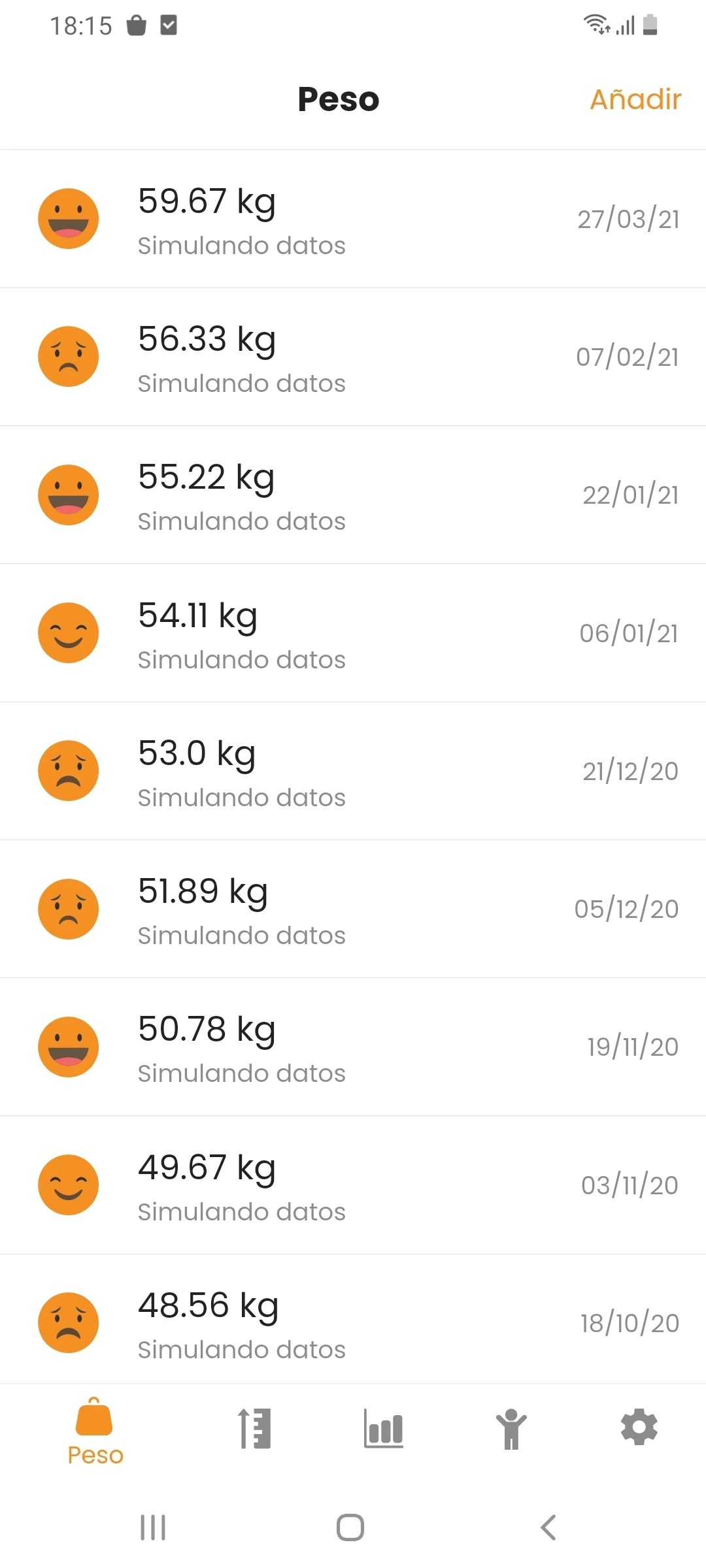
Users log weight measurements in kilograms, each with its date, building a complete history that is presented at a glance. Each entry shows an expressive indicator that reflects how the measurement compares to the expected healthy range, so users can read a child's status without interpreting numbers.

Height Records

In the same way, users record height measurements in centimeters with their dates, building a height history alongside the weight log and sharing the same at-a-glance indicators.

Growth Evolution

The Evolution screen plots the child's weight and height over time against the WHO growth percentile curves (P3, P15, P50, P85, and P97). The child's own data is overlaid on the percentile bands, making it easy to see where they sit relative to the reference standards and how that position changes as they grow.

03

My Role

As this was a freelance project, I managed the entire product lifecycle.

Requirements Gathering and Definition

Working closely with Saad Marcouchi Kaouch, a specialist in endocrinology, I defined the product around the needs of parents and caregivers tracking their children's growth, grounding the data model and visualizations in the WHO growth standards so the percentile comparisons are meaningful and clinically reliable. With this in hand, I defined the product scope and the features needed to meet those needs, drawing on my experience in user experience and product definition (a discipline grounded in my MSc from the Open University of Catalonia).

Collaboration with UI Designers

In all my freelance projects, collaborating with a designer is a key step in ensuring the app looks polished. I work alongside the designer to safeguard the best possible UX and to make sure the design is led by user experience rather than visual appeal alone, never beauty over functionality.

Development

Once the design was finalized, I moved on to development, applying clean architecture and clean-code practices regardless of platform, language, or framework. This project was built in Flutter; you can find more detail in the technical stack below.

Store Release

After development and testing with the client, using internal testing in Google Play for Android and TestFlight for iOS, I managed the full release process on both Google Play and the App Store, including compliance, privacy, assets, and all other requirements.
04

Technical Stack

FlutterDartFirebase AuthFirebase Realtime DatabaseFirebase StorageFirebase AnalyticsFirebase CrashlyticsData Visualization & ChartingDependency InjectionClean ArchitectureMVVMProvider